Your office. Your teammate. On your Mac.
Another colleague that runs on the Mac you already own. It remembers, plans, builds what you need, and works for the whole office.
Just ask.
Draft the client note, plan the offsite, sum up the invoices. Answers appear as they're written, and Arix remembers what matters for next time.
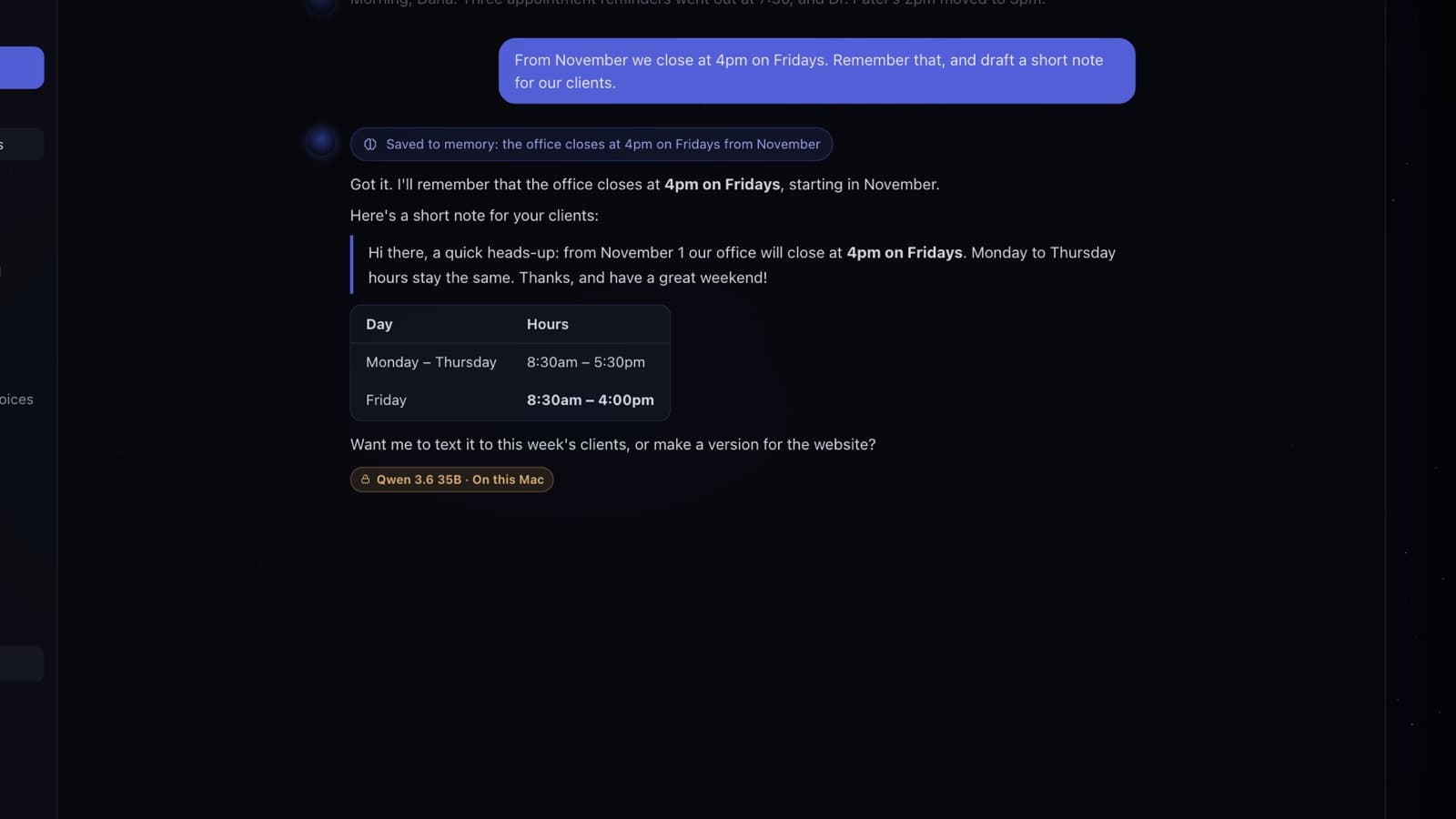
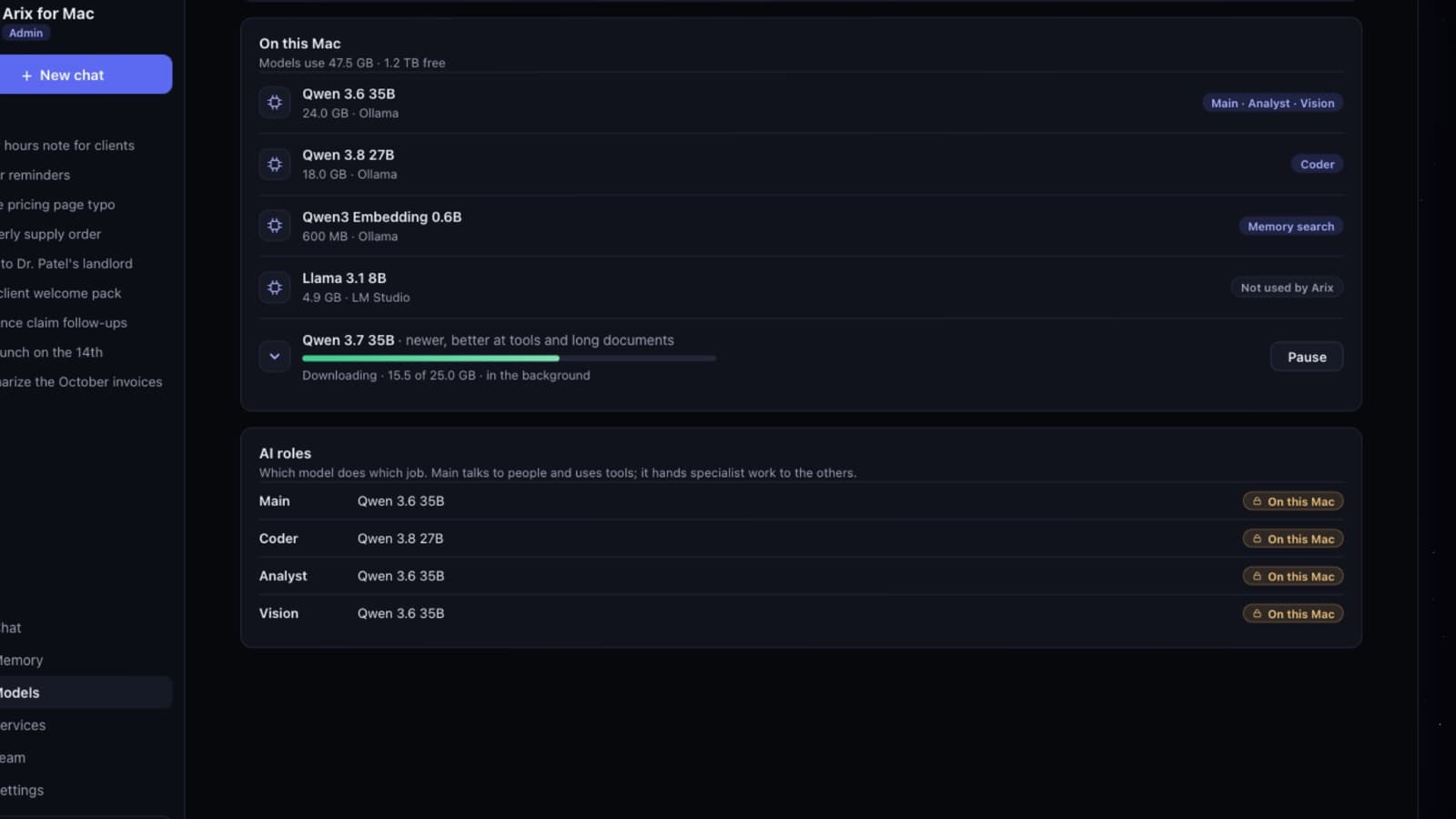
Your own models. Right on your Mac.
Arix picks the models that fit your Mac and runs them with Ollama or LM Studio. Free to use, and it works without the internet.
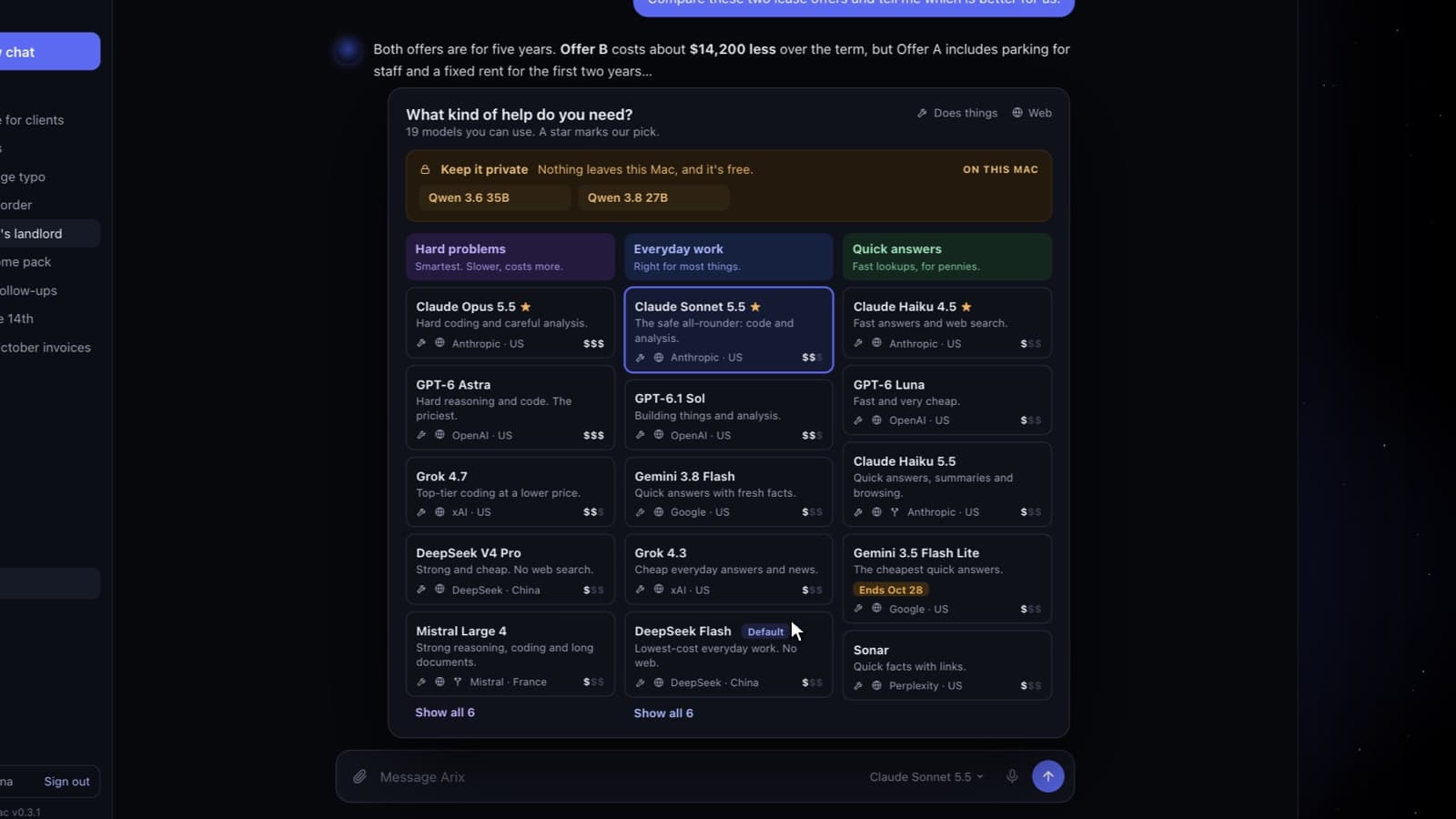
The right model for each question.
Switch models from the chat in one click: a local one for private work, or a cloud model with your own key when you want one.
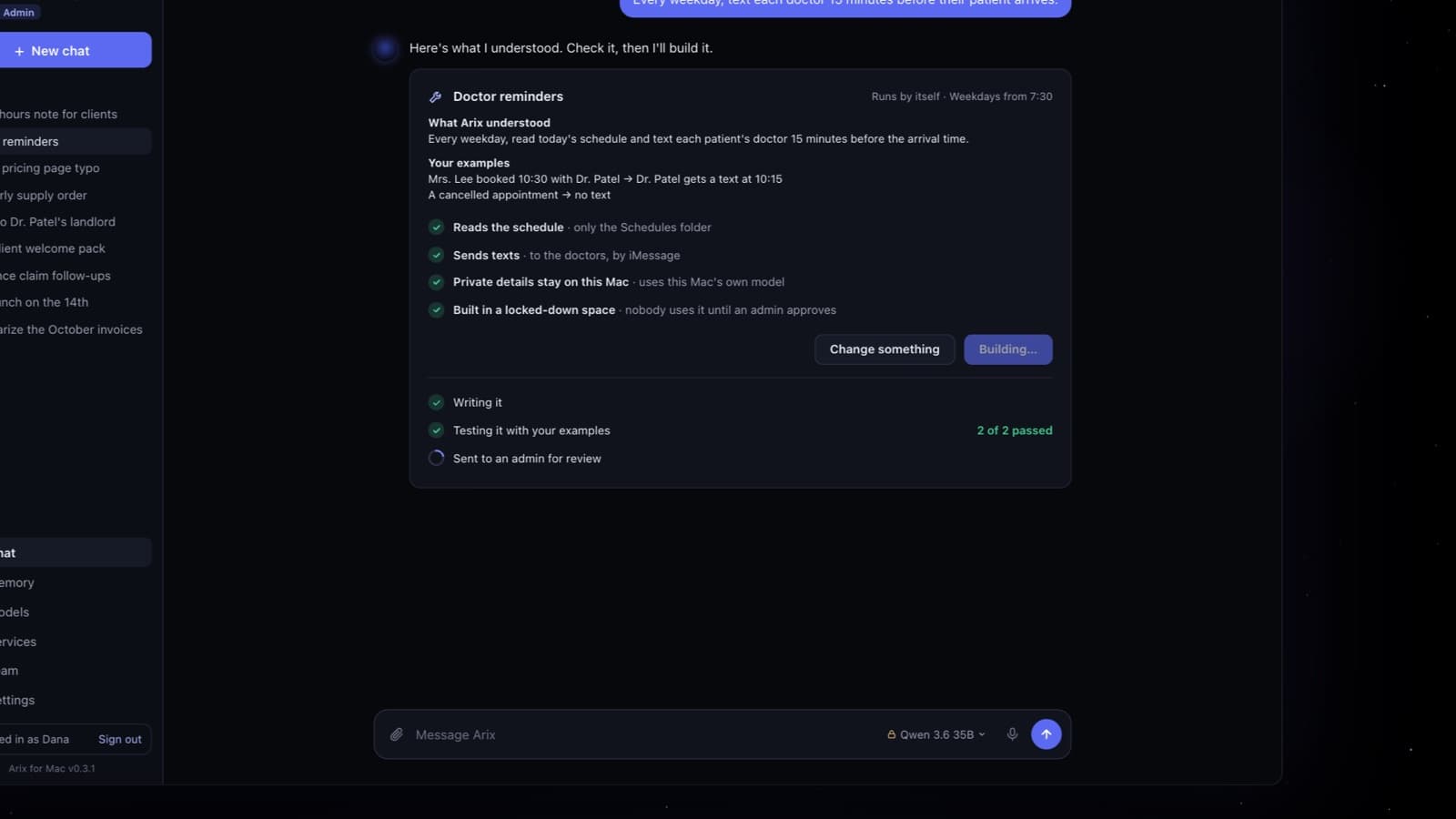
Need something new? Arix builds it.
Describe it in plain words. Arix writes it in a locked-down space, tests it with your examples, and nobody uses it until an admin approves.
Talk together. Arix joins in when asked.
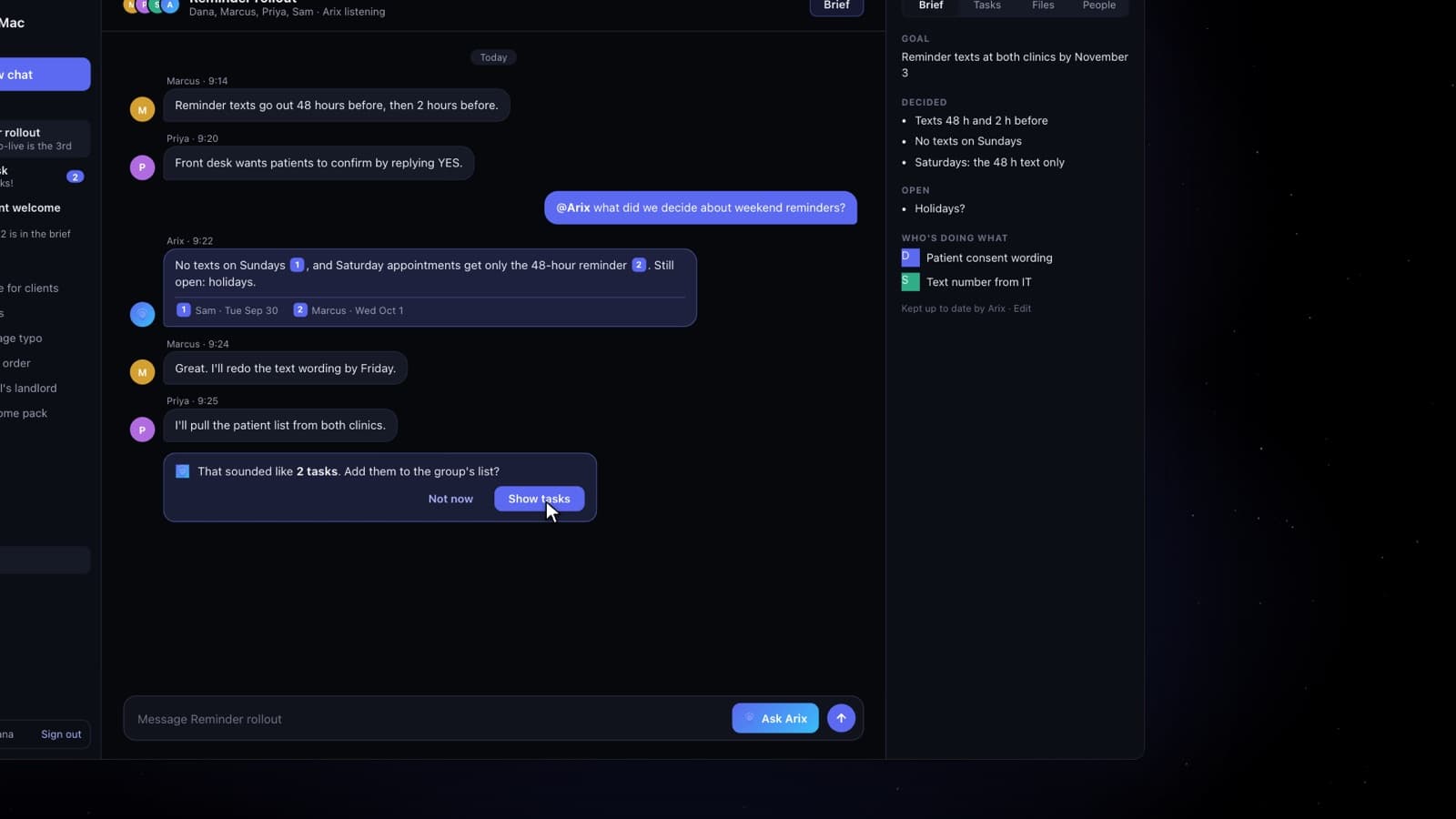
Group chats for the office. Ask Arix and it answers from what the group said, with links to the messages. It keeps the group's brief and tasks up to date.
Room for the whole office.
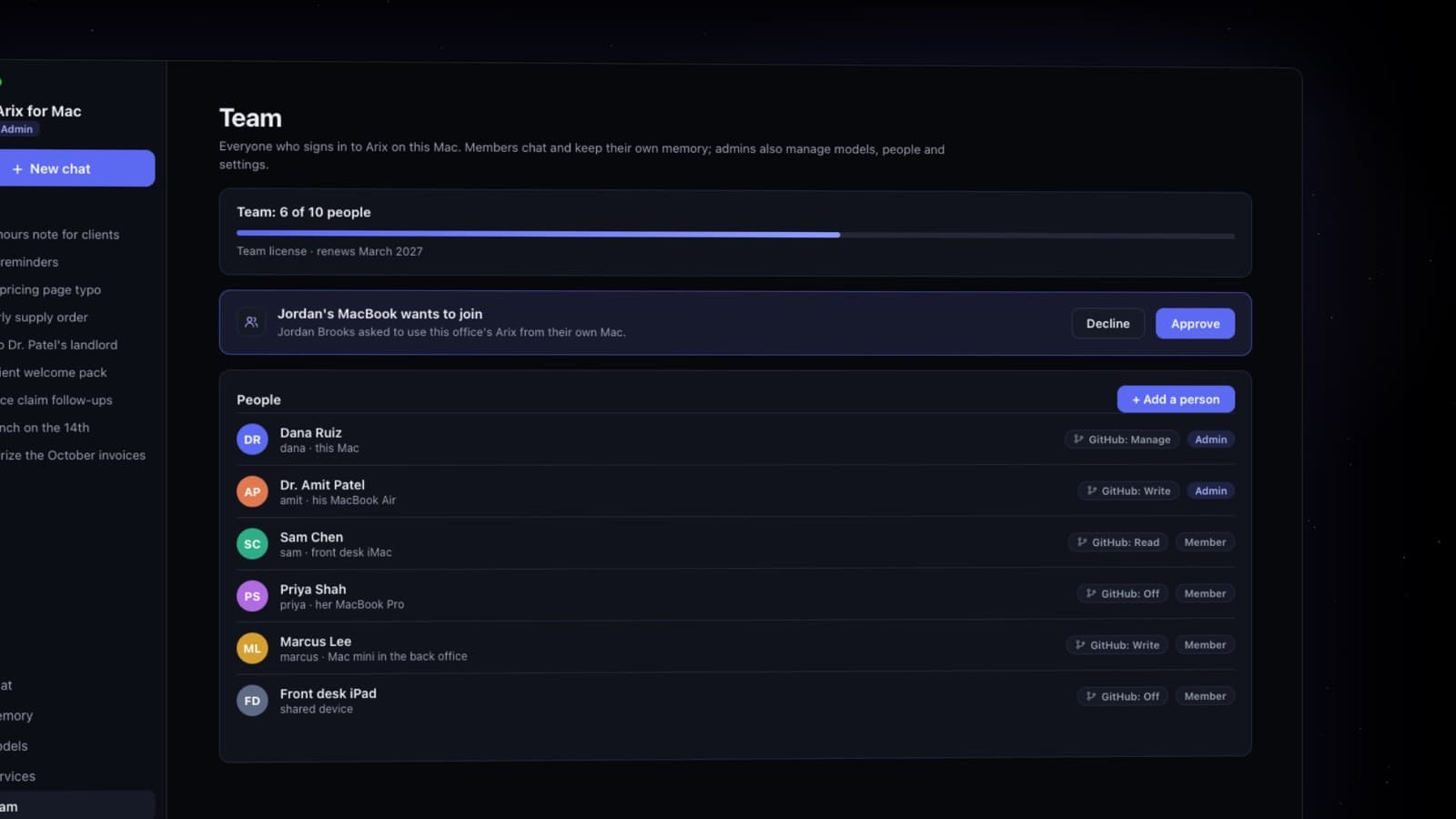
Everyone signs in to their own Arix with their own chats and memory. Admins decide who may do what, down to GitHub.
Stays on your Mac
- Every chat and every memory
- Your files and lists
- The AI models themselves
- Keys and passwords, in the Mac's Keychain
Leaves only if you choose
- A cloud model, with your own key
- Web search for fresh facts
- Texts you approve on a card
- GitHub changes you approve
One Mac to start. A whole hive later.
Arix runs your office on one Mac today. Next, it learns to use every Mac you add, so your own hardware grows with you instead of your monthly bills.
Want to try it early? Let us know →
Questions offices ask
No. Arix sets itself up, picks the AI models for your Mac and downloads them. When something needs attention, it says what to do, with a button.
Not on the local models. Chats, memory and files stay on your Mac. A cloud model is only used if an admin adds one.
Any Mac with Apple silicon on macOS 14 or later. A Mac mini in the back office is plenty for a small team.
Yes. Everyone gets their own sign-in, chats and memory, and admins decide who may do what.
Bring Arix to your office.
Arix is free to download, with no key needed. Want Personal, Team or Site? During the beta it's free for a year: leave your email and we'll send you a key.